

SFLY AI Generative Cards
About the Project
The Problem:
Shutterfly’s card creation experience lacked flexibility. Customers often had to compromise between template limitations and personal expression, struggling to align layouts with colors, photo count, and their family’s unique style.
The Goal:
Increase card conversion by ~10% through AI-generated, brand-consistent alternatives, ensuring generation costs are offset by printed-card revenue.
Team:
Audra Miller & Joelle Benvenuto
4 Amazon - TensoIOT engineers
Tools Used:
Figma, FigJam, Jira
Constraints:
Two-month project with a small team
AI outputs had to match Shutterfly’s recognizable, family-focused brand style.
Ready to be tested for Graduation season.
Data and User Insights
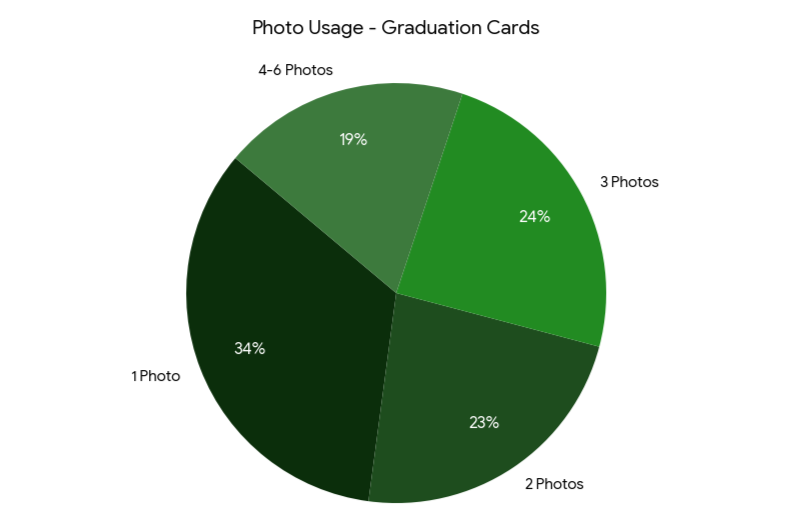
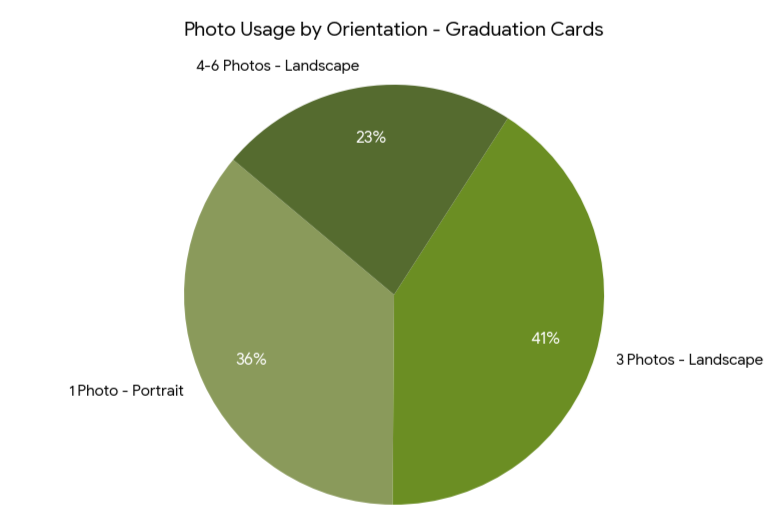
Key Insights from User Purchase Patterns
81% of users prefer 1 to 3 photos.
41% of users prefer landscape orientation with 3 photo layouts.
One to three photos + landscape = most relevant
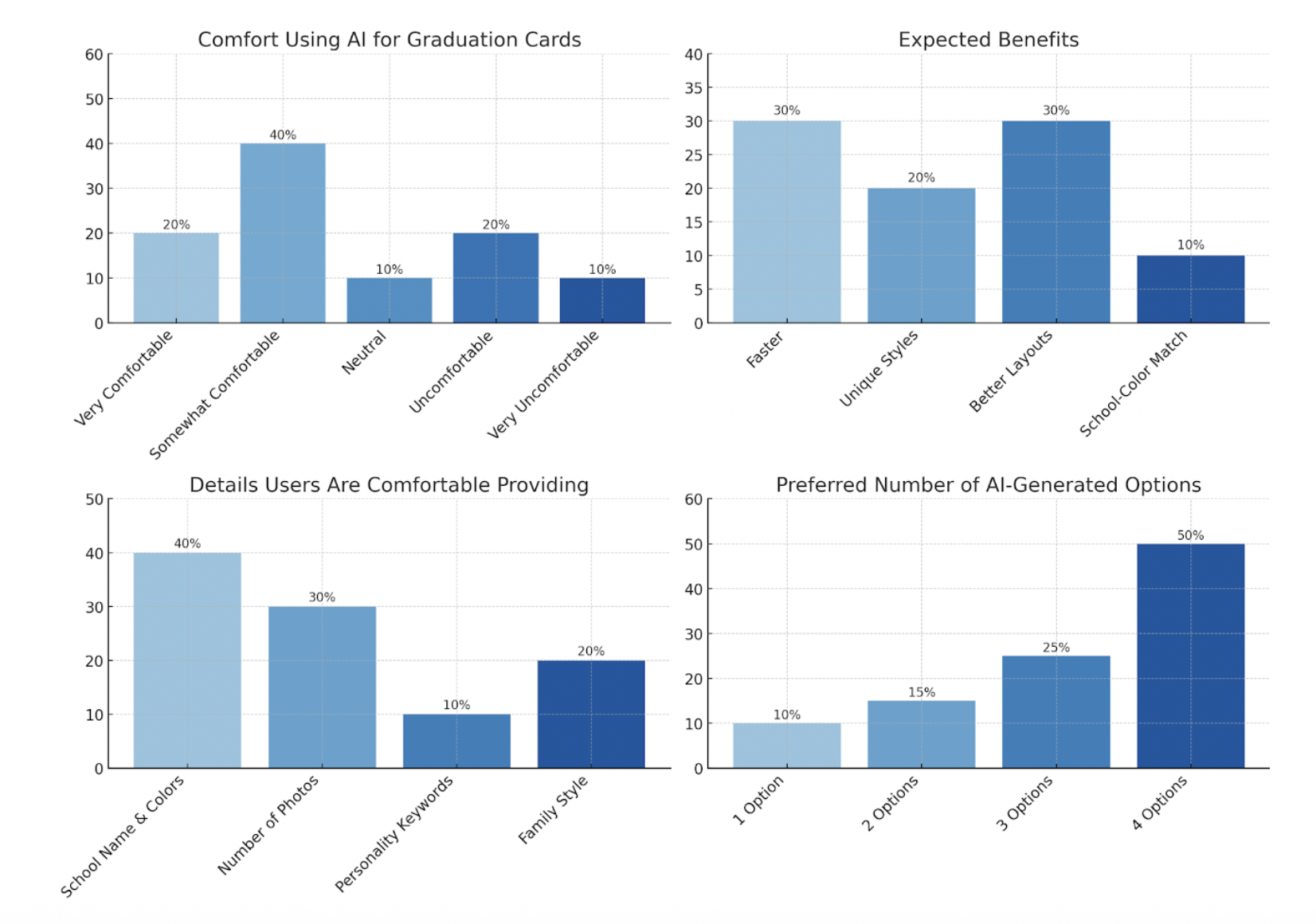
Survey Outcome
40% of users feels somewhat confortable using AI
30% feels it will be faster and will get better layouts
40% are confortable giving school name and colors
50% prefer 4 options to choose from.
High Level Concept and Flow
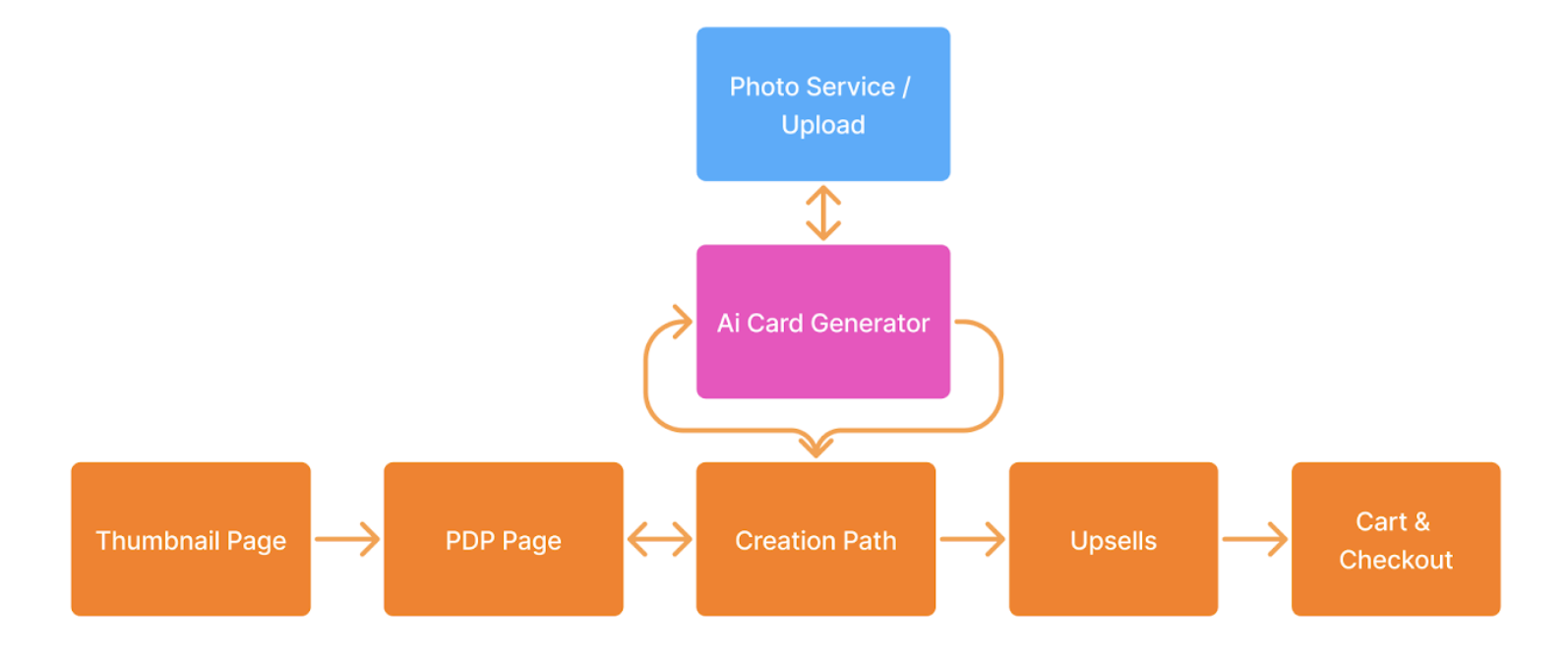
Flow Visualization
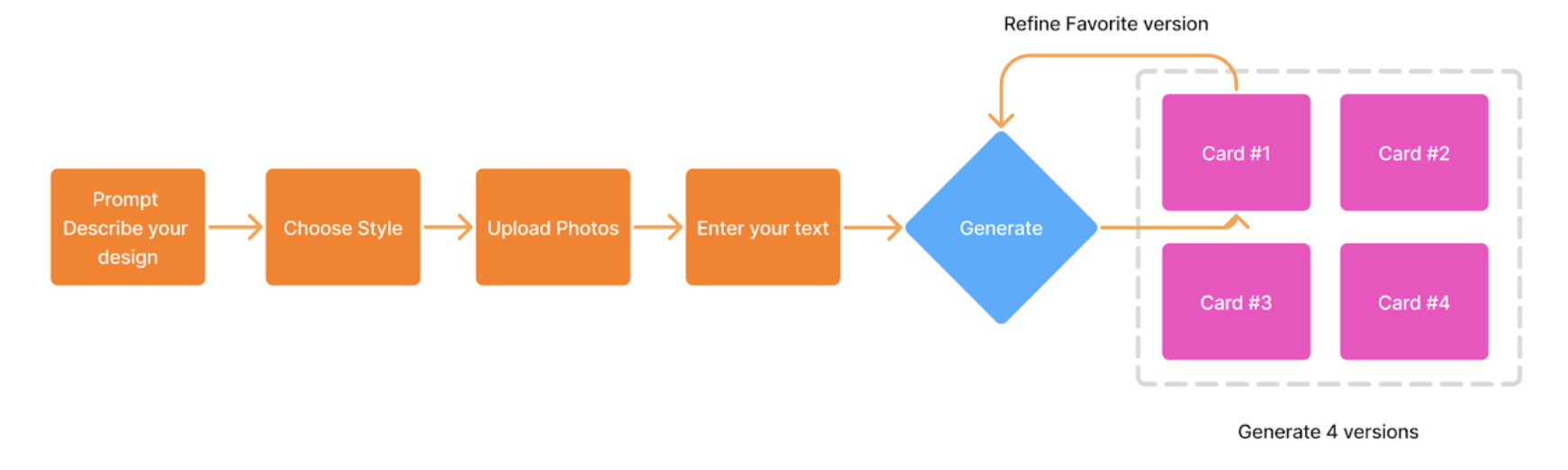
The experience was designed to empower users to generate personalized flat-rendered card designs using AI. When a pre-existing, locked card template didn’t meet their needs, users could launch the AI Smart Designer directly from the card creation flow.
AI Feature Details
Within this AI generator interface, they entered a short description, selected a visual style, upload photos and enter text. The system then produced four distinct front-and-back card renderings.
After previewing these options, users can refine its favorite version and seamlessly returned to the main creation flow to finalize further and send to print.
Concept Sketches
Hi-Fidelity Mockups
Step 1
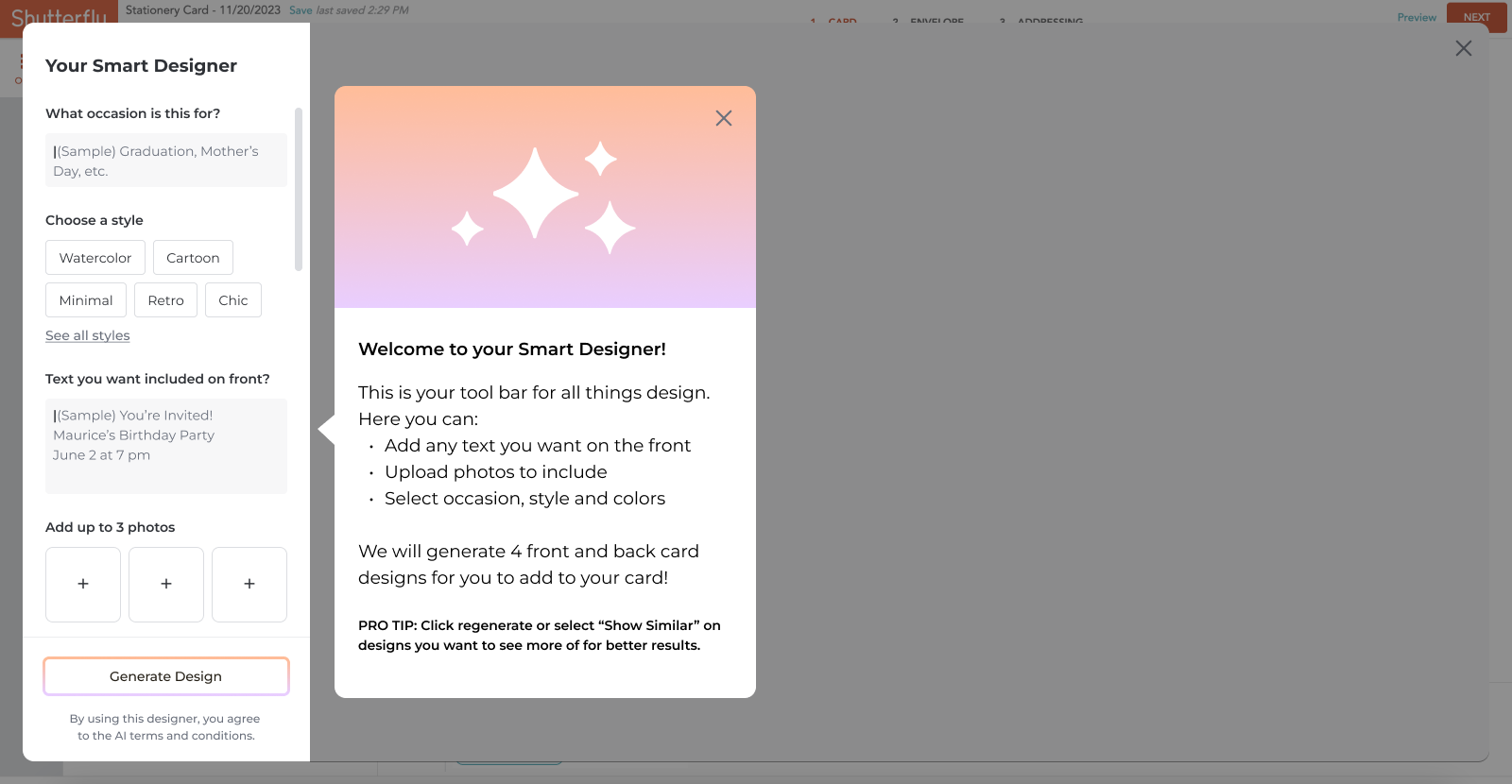
The left panel lets users define generation parameters — including a short description prompt, style selection, photo upload (up to three), and personalized text. A prominent call-to-action triggers the AI generation process. The empty state features an illustrative graphic conveying the “AI magic,” along with friendly guidance text to help users understand how to get started.
Step 2
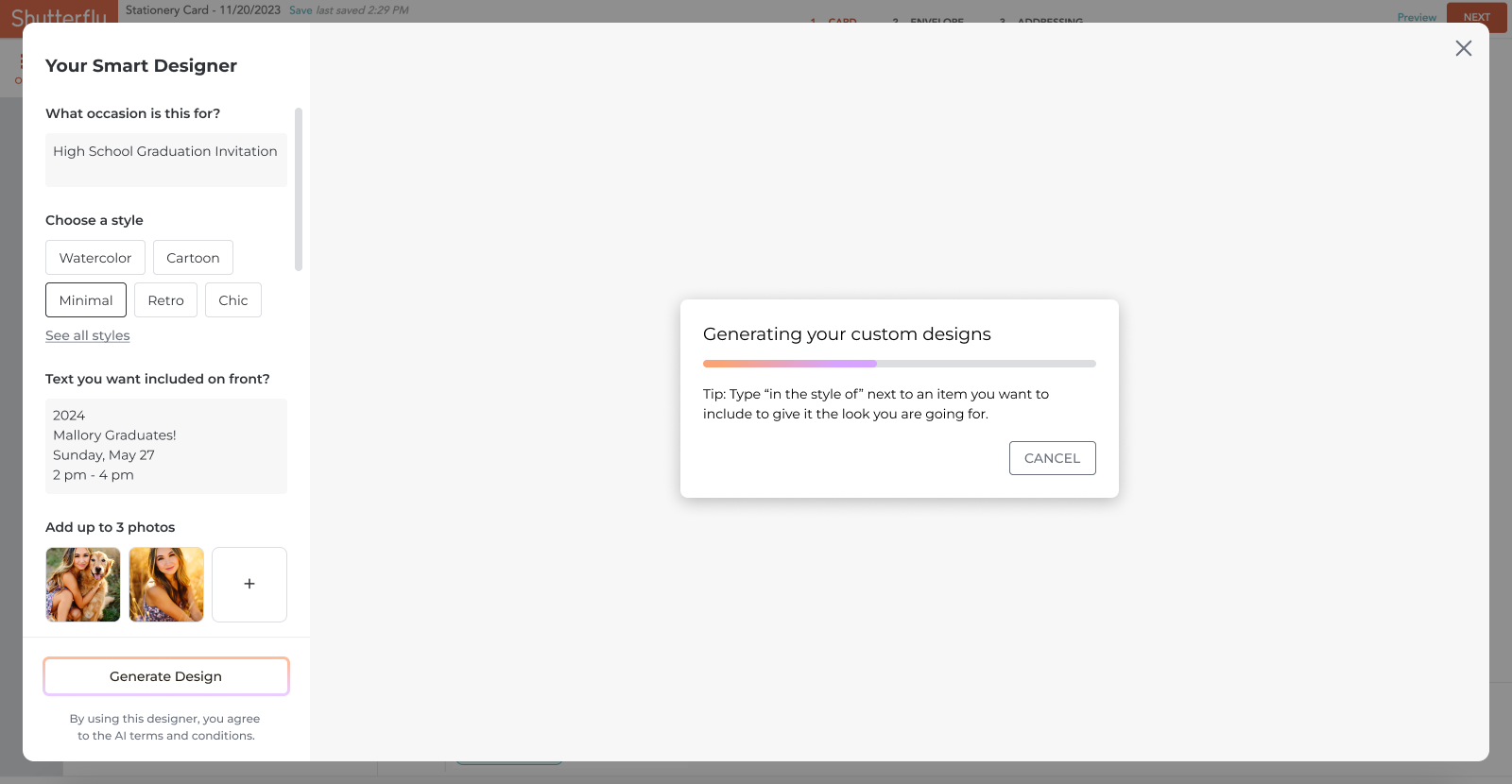
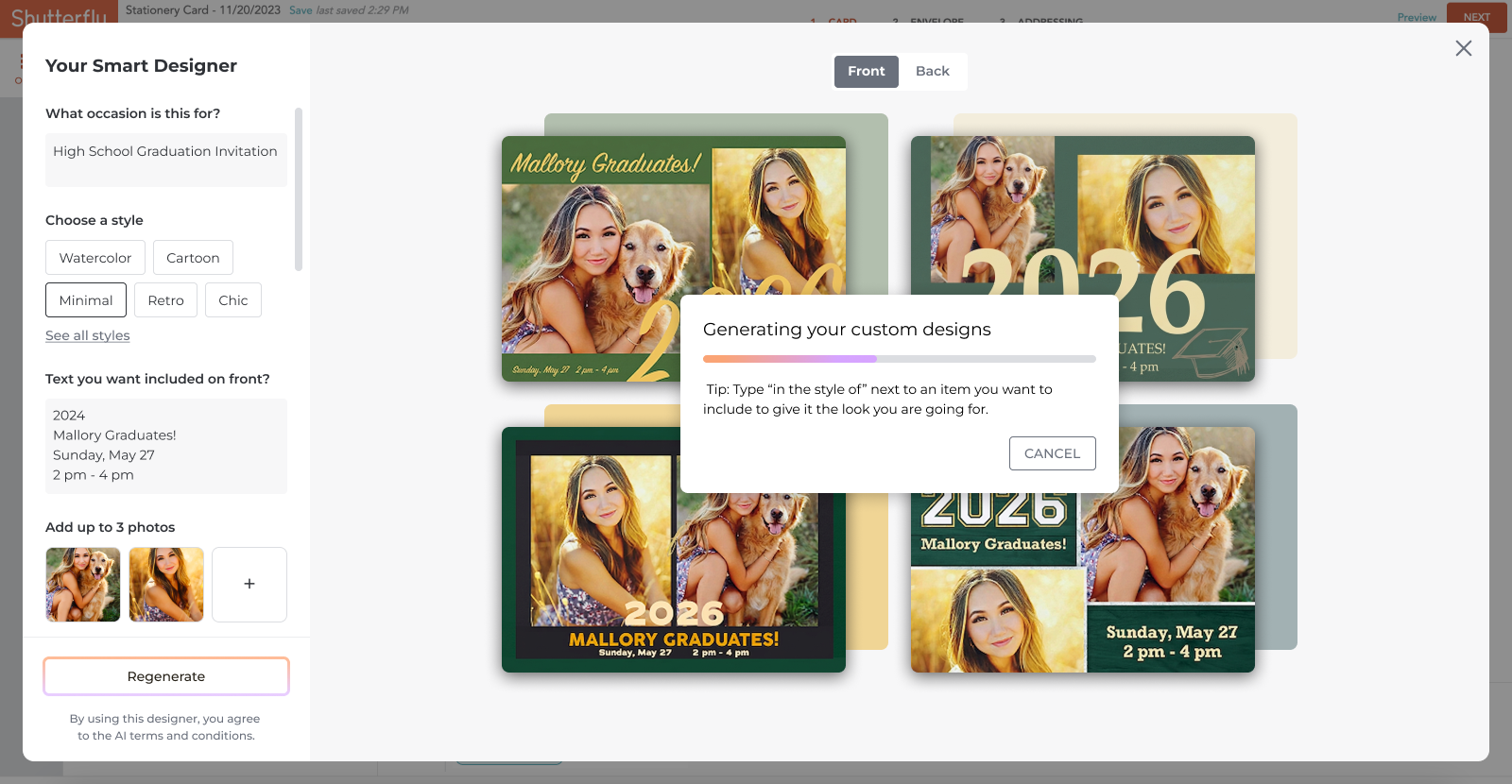
After completing all inputs and clicking the main CTA, a progress dialog keeps users informed and reassured about generation time.
To maintain engagement, a rotating “Tips” section offers suggestions for refining prompts or describing styles more effectively.
A cancel option allows users to interrupt the process and make adjustments as needed.
Step 3
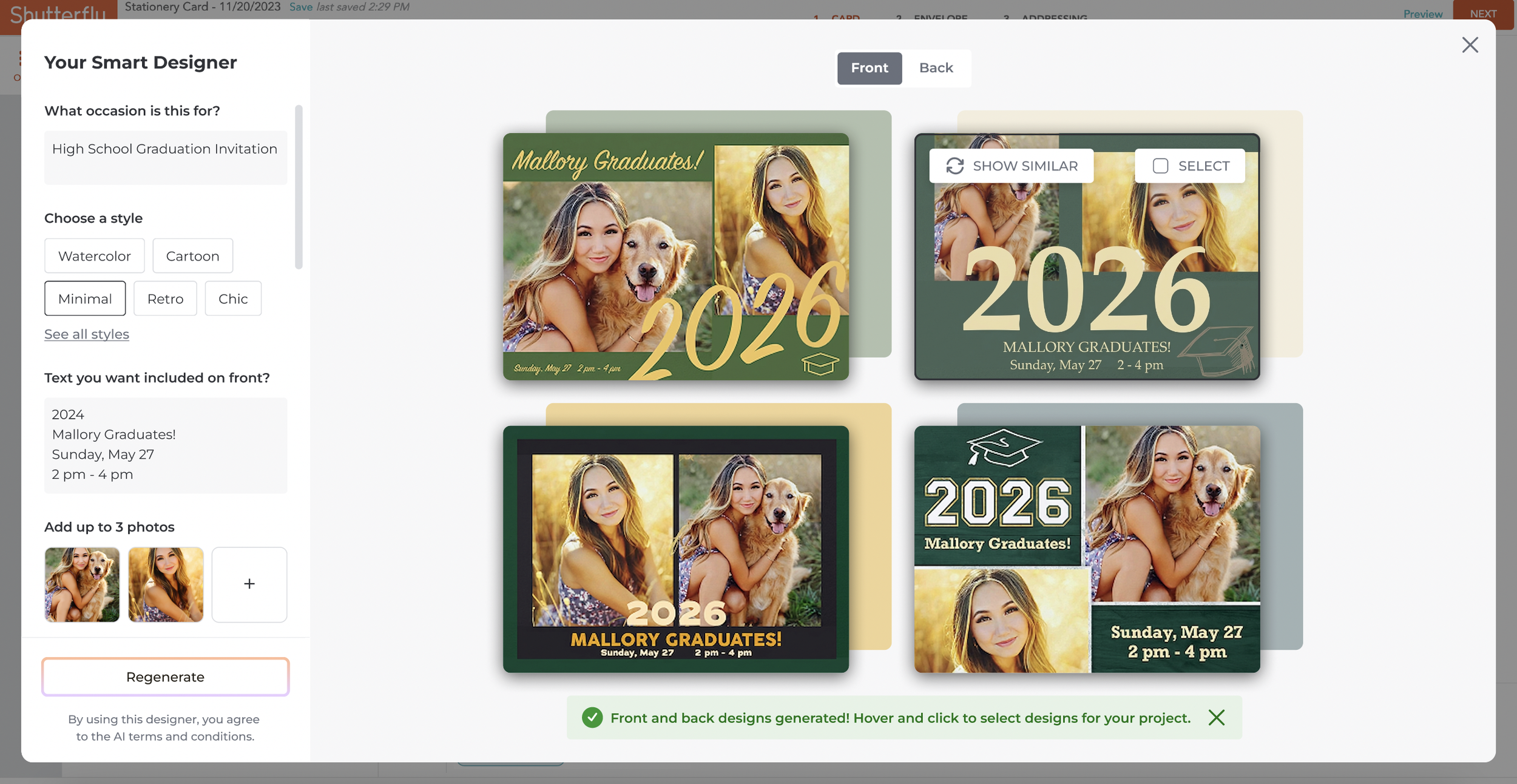
Four card designs (front and back) appear with a confirmation message guiding users to the next step.
Users can hover or click to select their favorite design.
A “Show Similar” button was added to let users refine results based on a preferred visual direction.
Step 4
Progress indication while generating.
Step 5
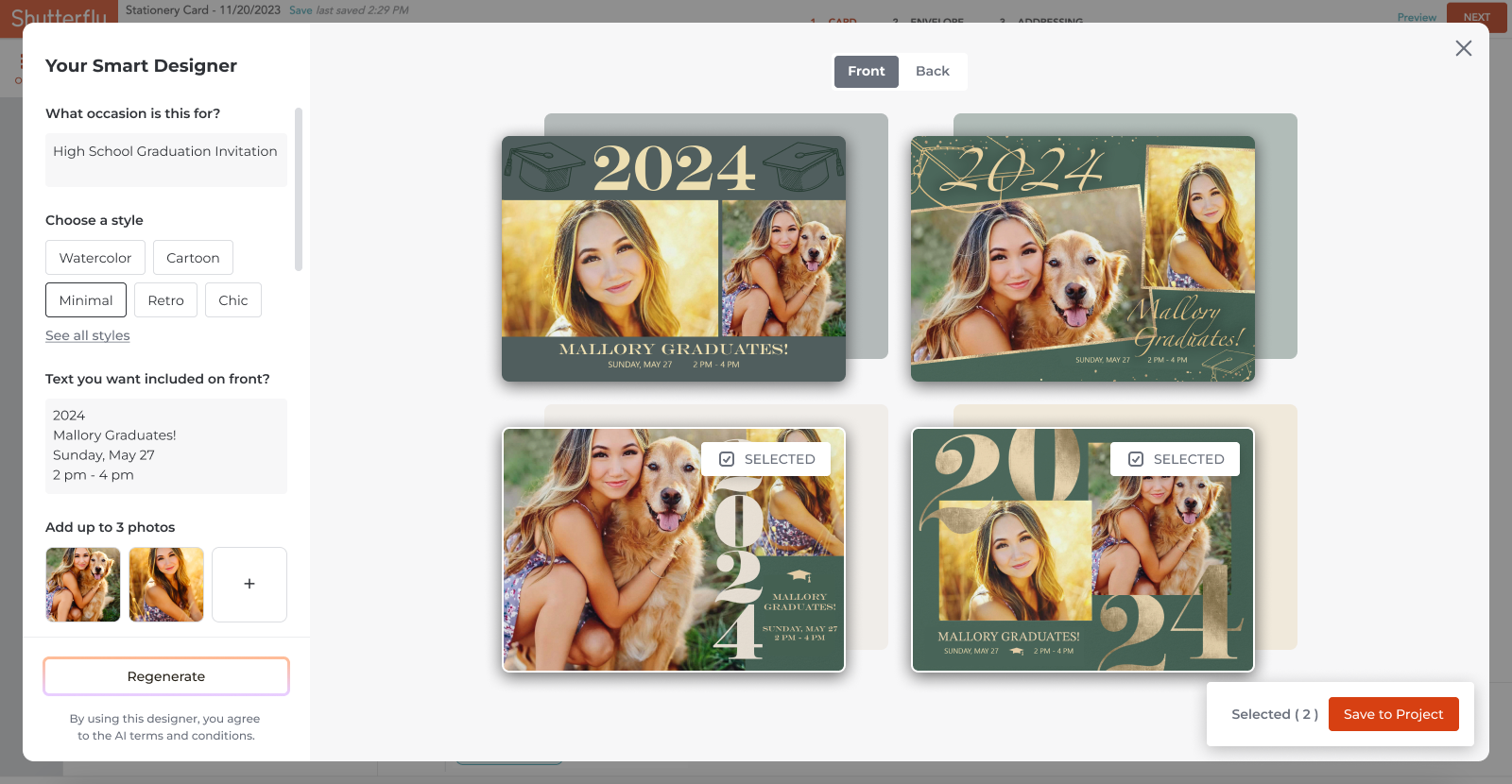
Four refined card designs (front and back) are presented to the user.
Hover or click interactions allow users to select their favorite design.
Checkboxes indicate that multiple designs can be saved and revisited later in the creation experience.
Step 6
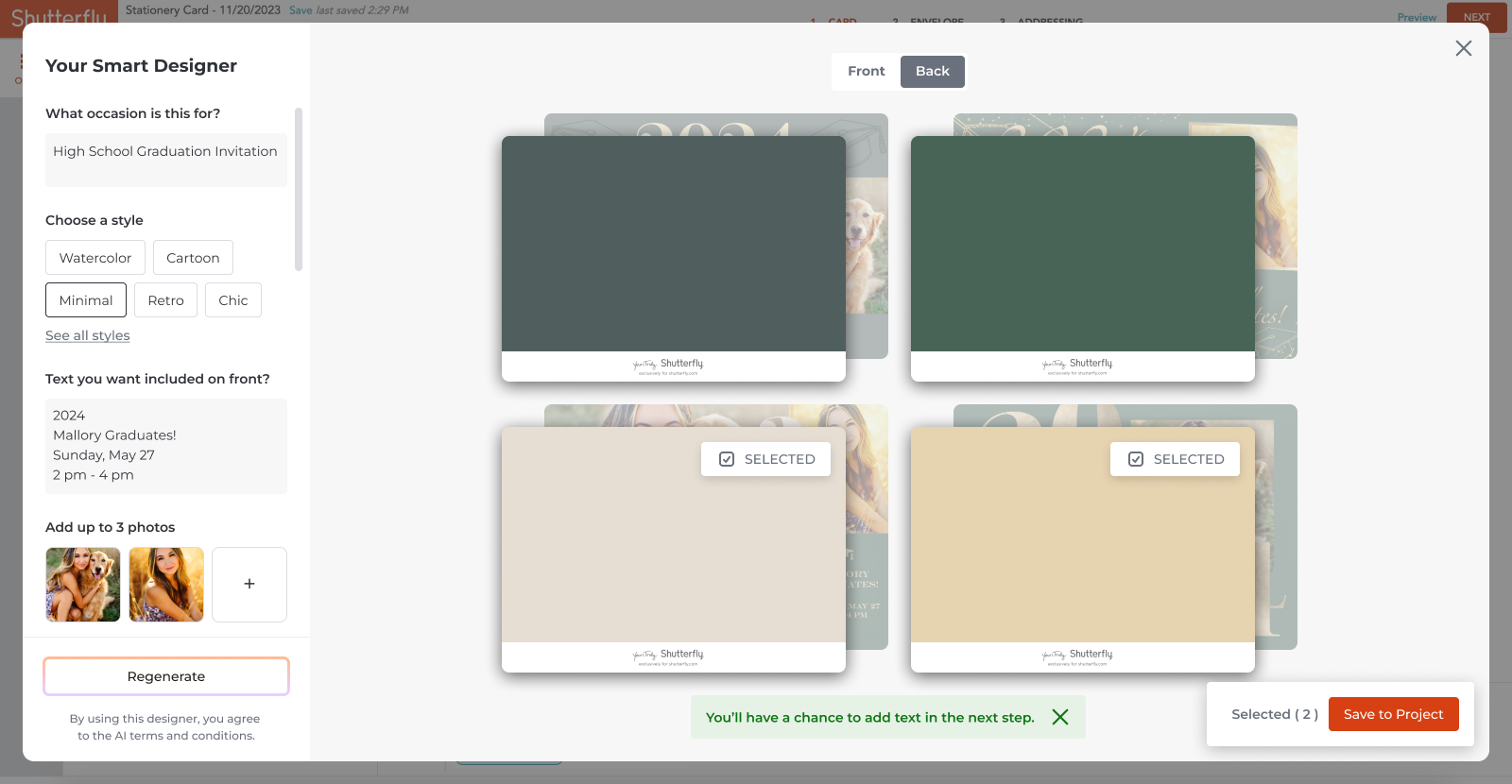
Users can toggle between the card’s front and back using the switch at the top of the screen.
A short helper message clarifies that text can be added later. This was an intentional limitation due to project scope.
Step 7
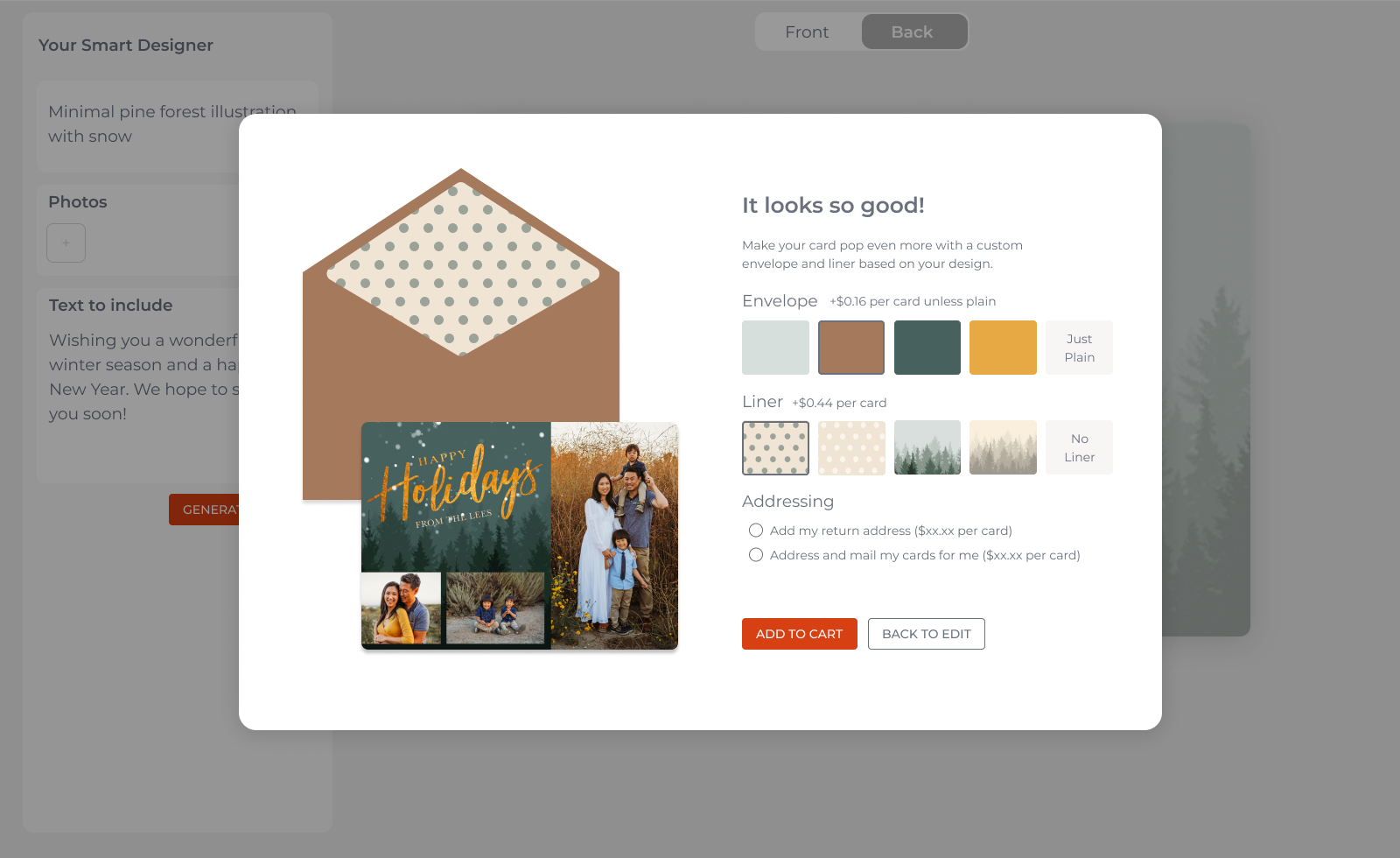
We are exploring strategic interventions to offset AI infrastructure costs by integrating high-conversion interstitials.
These touch points will focus on upselling users to premium, high-margin add-ons, such as custom envelopes, during the card creation process.
Design System Integration
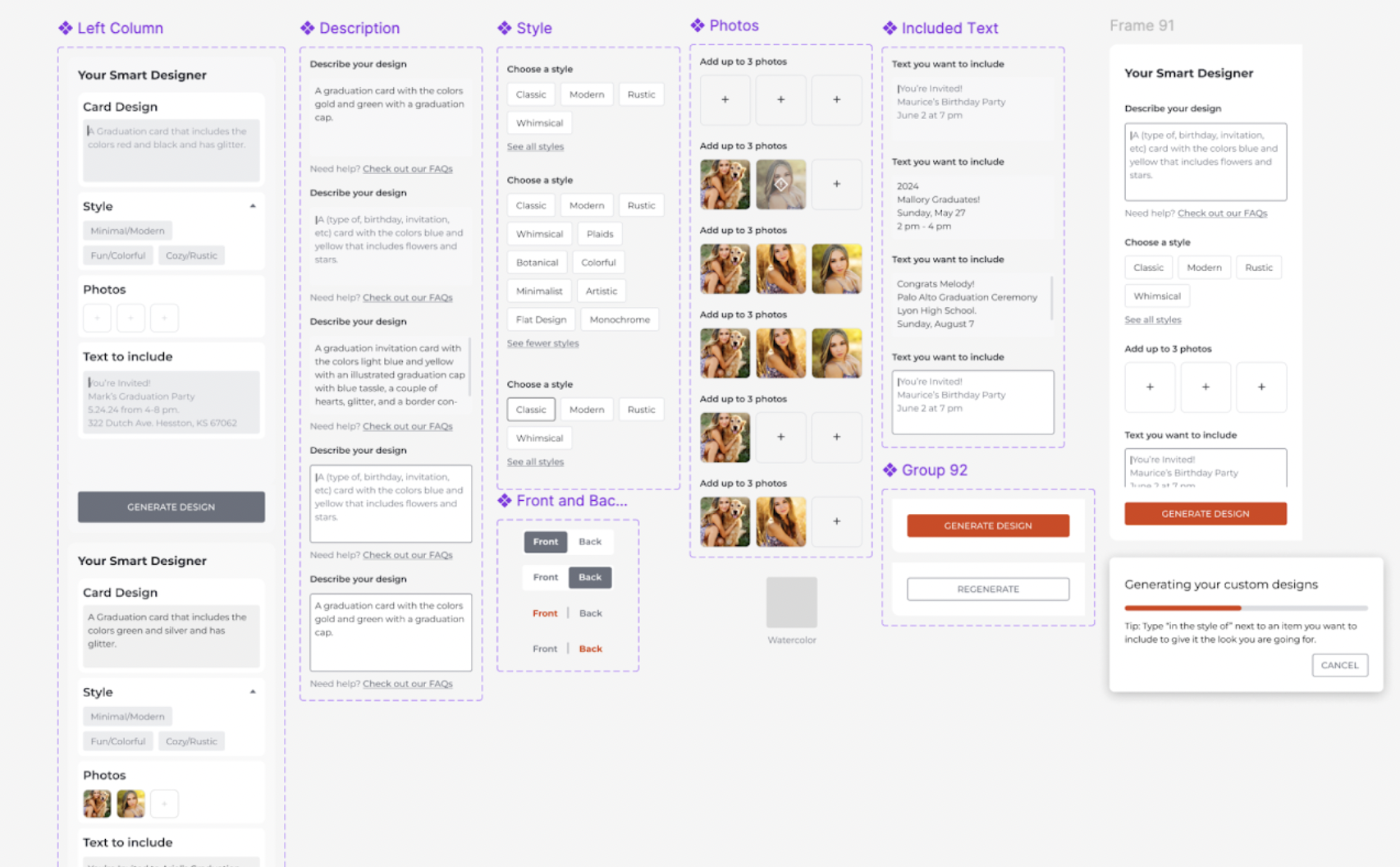
All interface components were built as Figma variants and integrated into Shutterfly’s design library, ensuring scalability, consistency, and efficient iteration. Each module from form fields and toggles to CTA buttons and progress dialogs, leveraged shared tokens for color, typography, and spacing, enabling rapid prototyping and handoff while maintaining brand coherence.
Prototyping and Testing
The full end-to-end flow was prototyped in Figma to simulate the AI generation experience, including edge cases, progress states, and user feedback. Interactive prototypes were used for stakeholder reviews and user testing sessions, allowing rapid iteration based on usability insights and performance expectations.
Conclusions & Outcomes
Identifying User Insights and Next Steps
User testing indicated that participants struggled to describe card designs from scratch. Instead, they expressed a preference for starting with a baseline design that could be refined via prompts or conversational voice interactions. Unfortunately, the project was paused before further investigation could be conducted.
Additionally, the AI output did not meet internal or user expectations for design quality. Our team wrote up and provided recommendations on training the algorithm to better replicate Shutterfly’s signature aesthetic, though this exceeded the project’s initial scope.
Collaboration across multiple teams led to valuable learnings about AI’s potential and its technical limitations at the time. Some insights were later applied to smaller, more focused use cases, such as generating stickers instead of full card designs.
Someone without a Costco Membership trying to get the Shutterfly Discount.