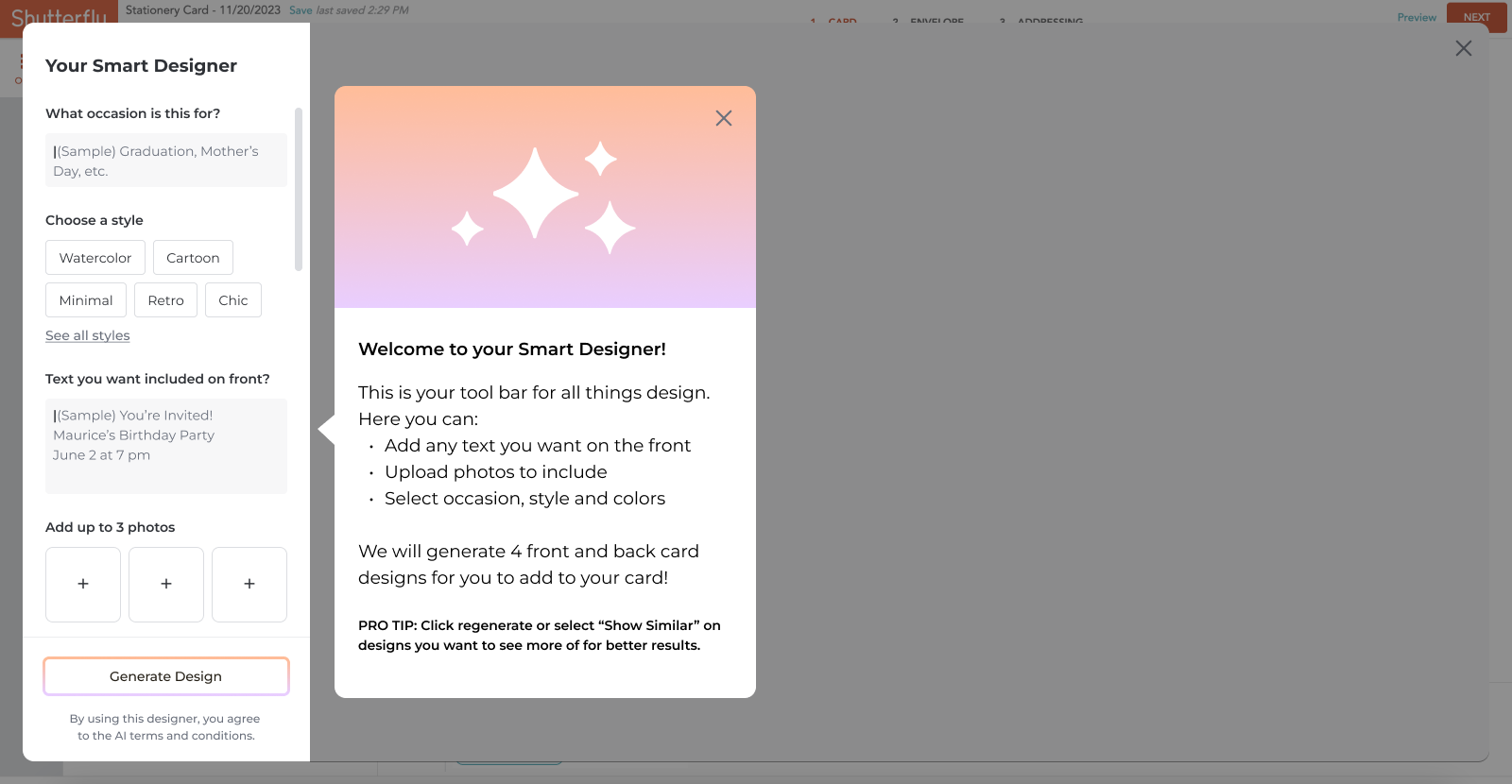
SFLY AI Generative Cards
About the Project
The Problem:
Shutterfly users frequently abandon the purchase funnel because their photos require complex editing; specifically regarding fixed-ratio cropping, distracting backgrounds, and imperfect group shots; that exceeds their technical skills or the platform's current capabilities.
The Goal:
To provide a frictionless, 'magic' editing experience that empowers users to transform imperfect photos into print-ready assets, thereby increasing conversion while maintaining a sustainable cost-to-serve.
Team:
Audra Miller & Joelle Benvenuto
Tools Used:
Figma, FigJam, Jira,
Strategy:
Frictionless: Tools must be discoverable at the moment of error (e.g., a crop warning triggers an "Auto-Expand" suggestion).
Intuitive: Simplify complex AI tasks (merging, erasing, resizing) into single-action buttons requiring no technical skill.
Value-Balanced: Prioritize high-impact tools that drive conversion to offset API integration costs.
Before & After Solution
Canvas Prints and Cards
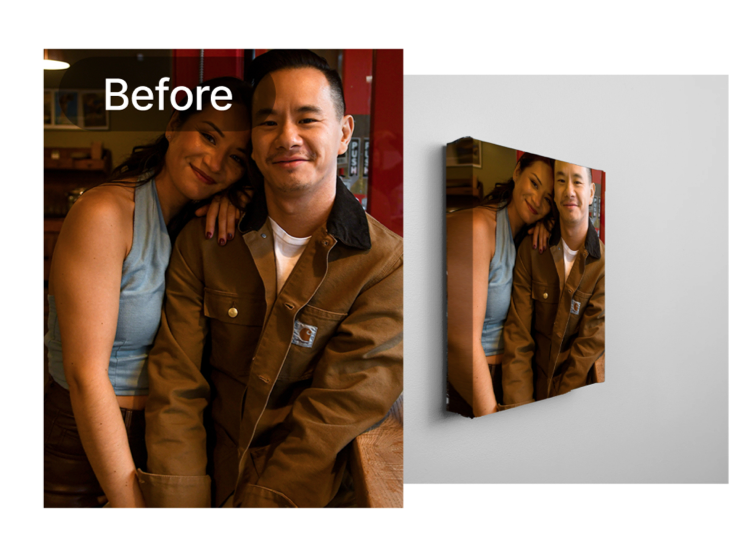
User photos are often cropped too tightly for standard product size 20x24, 16x20, 16x16, 12x36

User photos are often cropped too tightly for standard product size 5x7, 6x8.
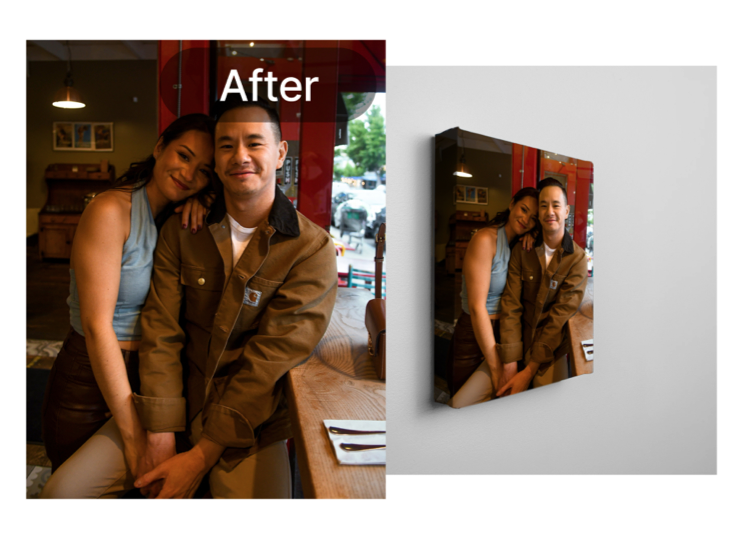
Integrate AI background expansion to adapt images for canvas wraps without losing key subjects.

Integrate AI background expansion to adapt images for card layouts, ensuring a professional finish without losing key subjects to tight margins or folds.
UI to introduce the new Generative AI tool

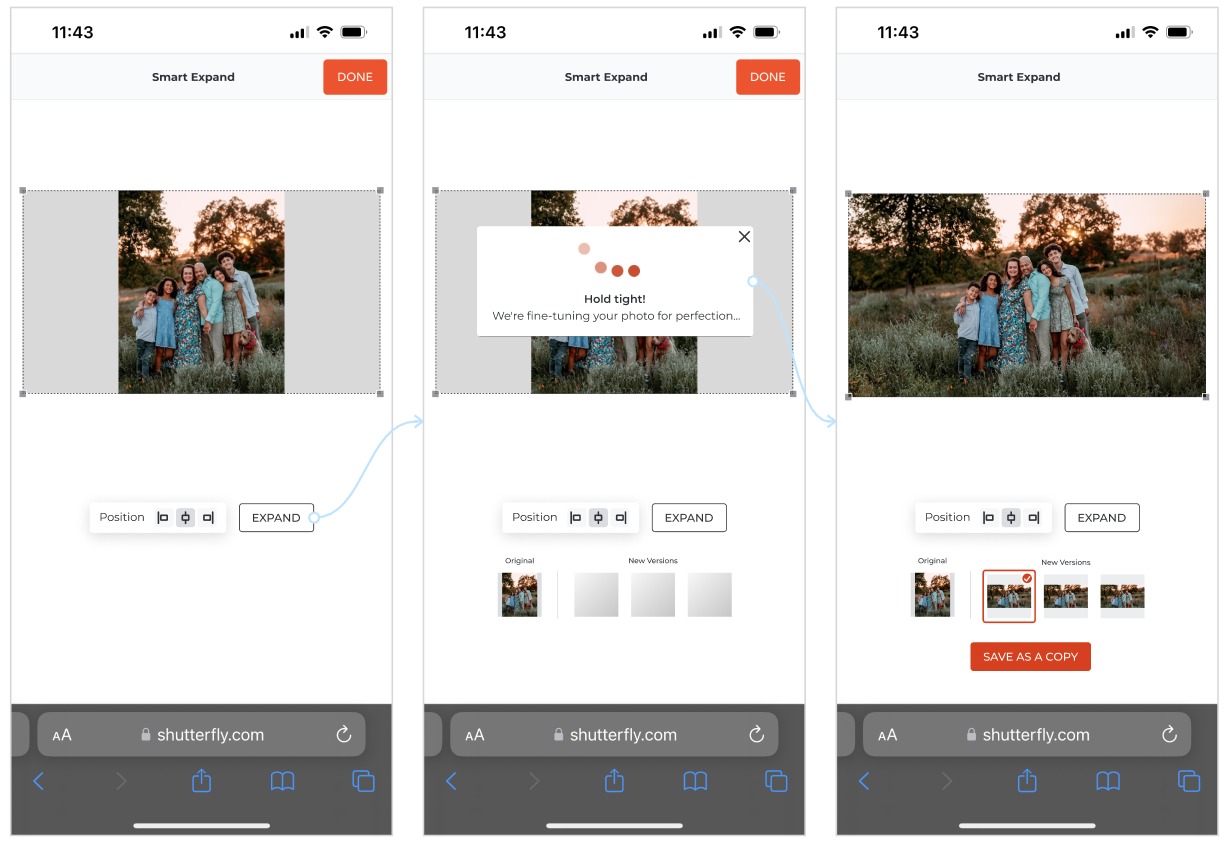
To provide real-time support, we planned to implement a detection system that identifies poor cropping immediately upon an image being dropped into a slot.
Once detected, an AI-powered feature would offer to automatically fix the framing by expanding the aspect ratio to match the product's dimensions.
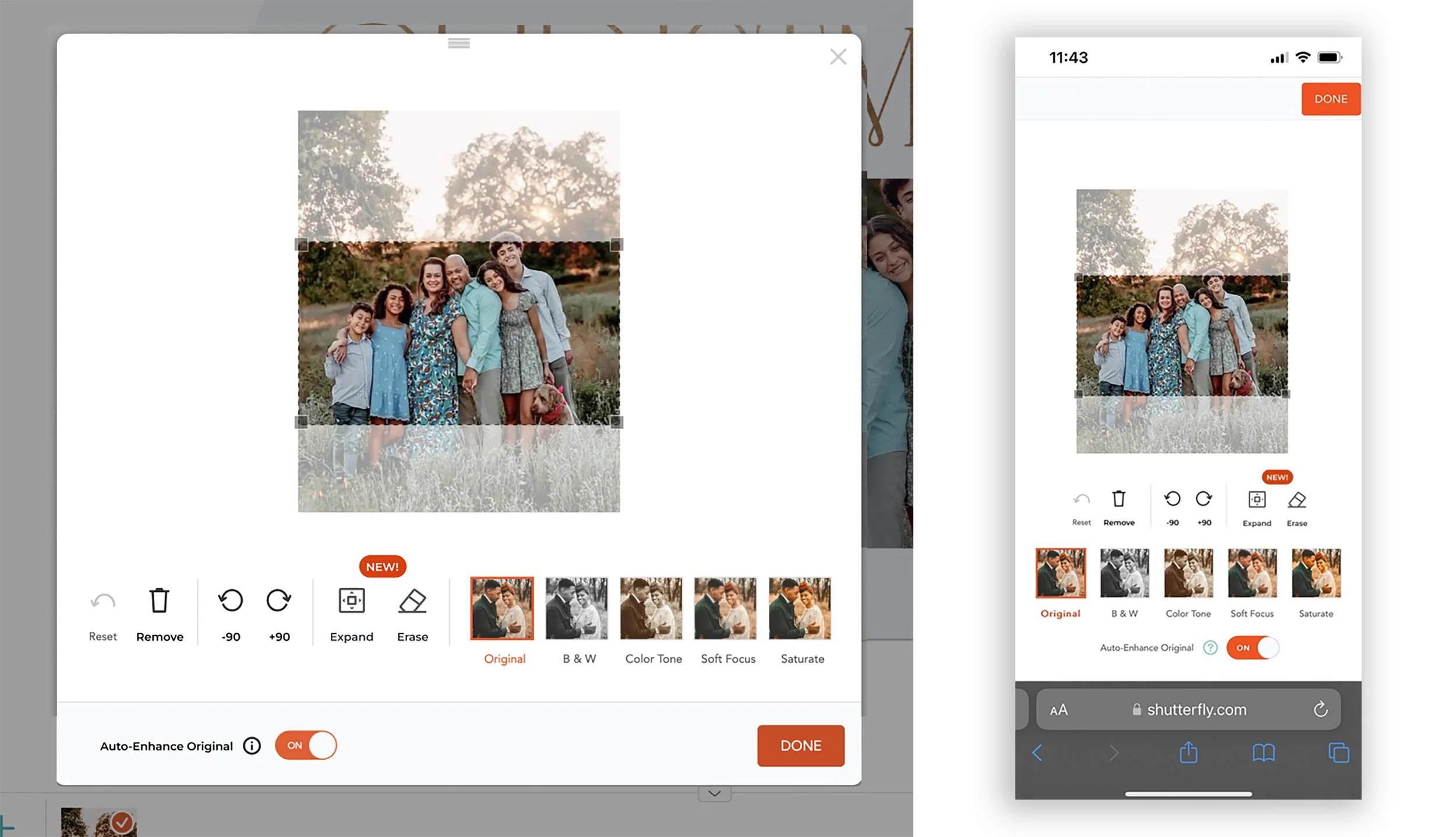
New feature flag in cropping window
In crop mode, users can easily discover the new feature via a 'New' badge.
Erase unwanted objects with Generative AI tool
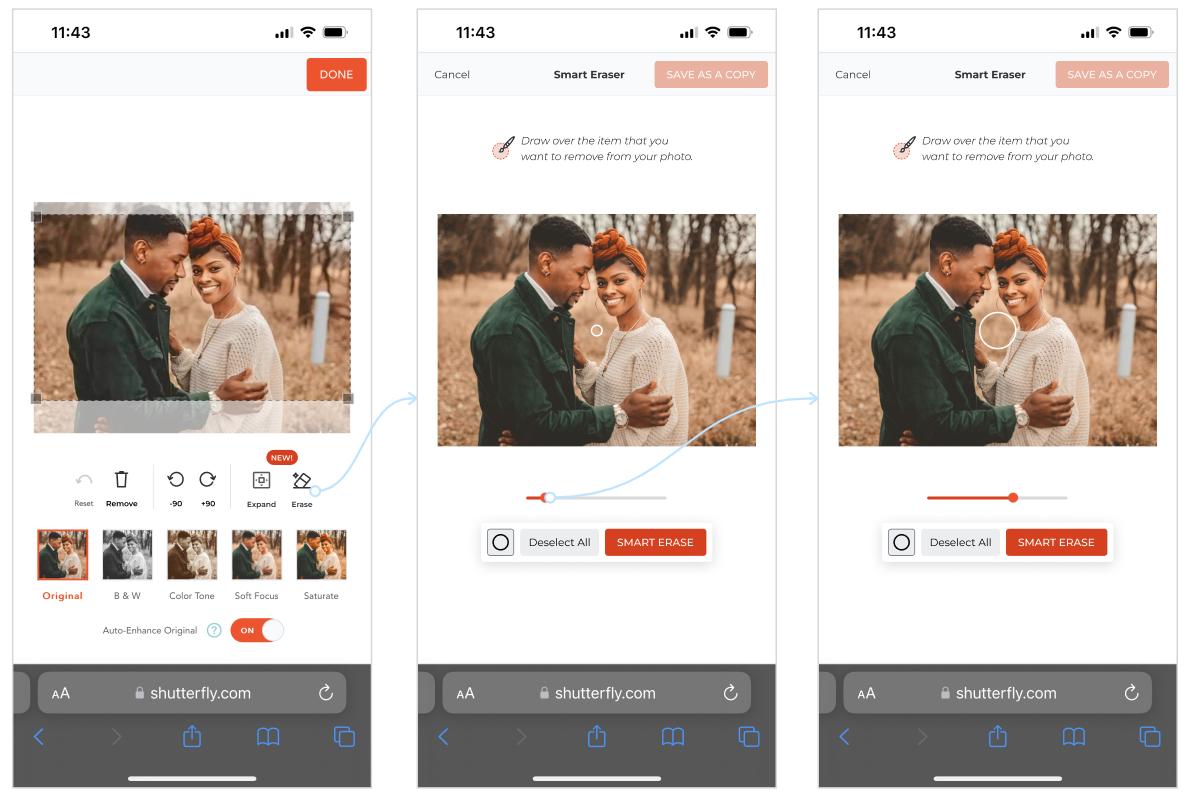
User can enter in Erase mode by clicking on the Erase Icon.
2. Upon entering Erase mode, the user is automatically placed in drawing mode with clear instructions displayed at the top of the screen.
3. An intuitive slider allows users to adjust brush size, ensuring maximum precision when drawing over unwanted objects.
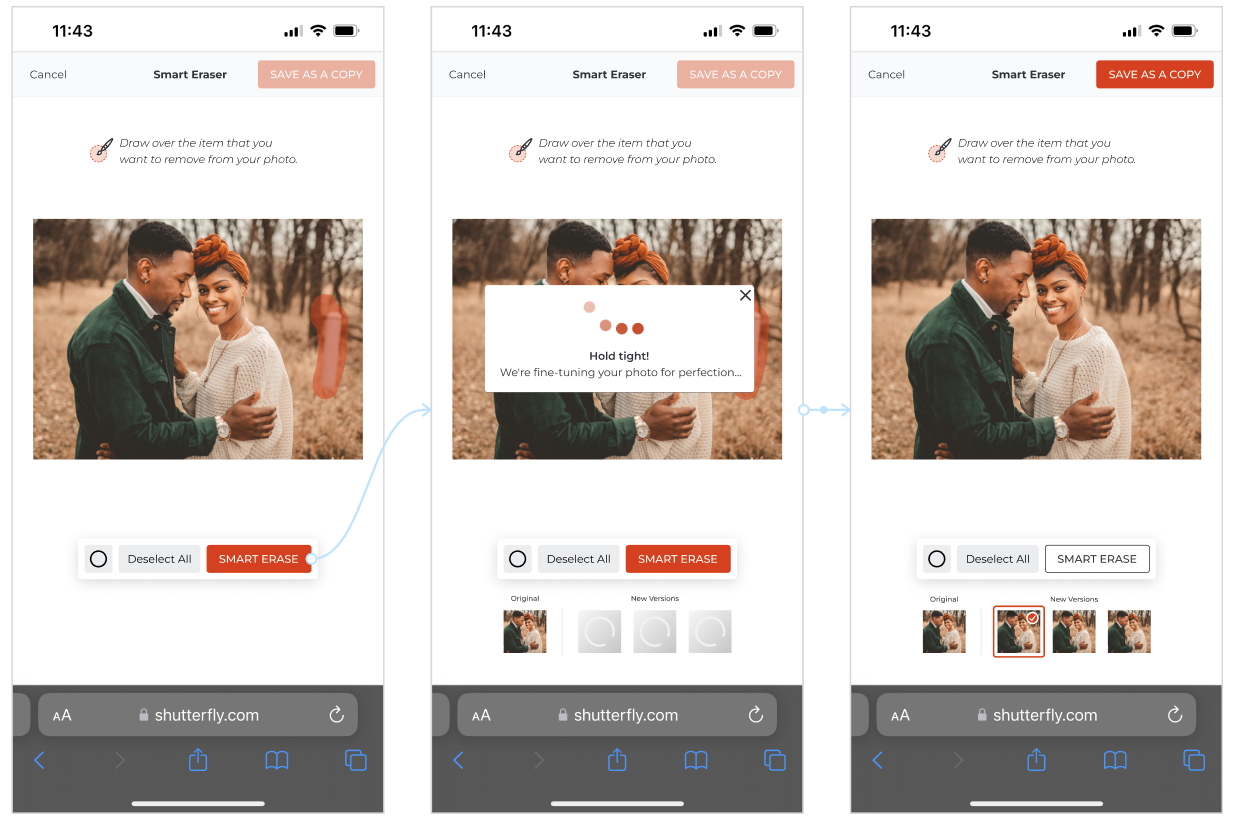
4. After masking the unwanted object, the user taps 'Smart Erase' to initiate the AI removal process.
5. A progress indicator appears, accompanied by instructional text to keep the user informed during the processing state. A secondary UI panel appears below the main image, displaying multiple generation slots with individual loaders to indicate that several variations are being created simultaneously.
6. Once processing is complete, the user reviews the generated variations and selects 'Save as a Copy.' The edited image is then automatically applied to the product, replacing the original in the creation funnel.
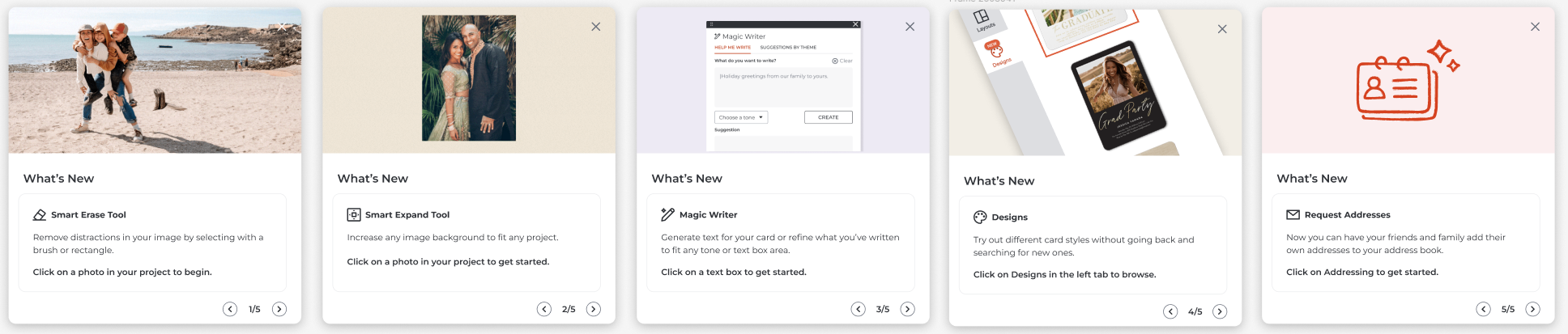
AI disclosure & What's new
Conclusions & Outcomes
In summary, we addressed two critical user pain points by implementing seamless AI integrations for aspect ratio correction and object removal. The result is a more resilient creation funnel where technical photo limitations no longer prevent a purchase, leading to a more satisfying user journey and a stronger bottom line.
By resolving core photo-quality frustrations, we unlocked a key user demographic that was previously too hesitant to print or were leaving the platform in search for other apps solutions.
The result was a substantial and measurable improvement in conversion, validating the need for intuitive, AI-assisted editing tools.